If Toppal Voice is not working, first determine whether the app is missing, still needs activation, cannot access the microphone, or has lost communication with a required background component. FixMyDash helps Android head unit owners identify the correct route before software is removed or an incompatible package is installed.
FixMyDash service scope: Toppal Voice activation codes, motherboard and firmware compatibility review, app package confirmation, and guided troubleshooting for supported Android head units. FixMyDash does not provide one universal APK or guarantee compatibility with every motherboard.
Activation is required
Choose this route when Toppal Voice opens normally but asks for a valid Standard or Pro activation code.
Buy Toppal Voice Activation CodePackage review is required
Choose this route after a factory reset, accidental removal or firmware change when the Toppal app is no longer available.
Request App Package ReviewTroubleshooting is required
Continue below when the app is activated but has no response, cannot hear the microphone or cannot open supported apps.
Start TroubleshootingOn some Android head units, Toppal Voice may rely on a separate background service and language components. The package structure varies by motherboard and firmware, and removing a preinstalled component may make recovery more difficult.
Identify the Exact Toppal Voice Problem
Different symptoms point to different causes. Use the closest match before changing settings, clearing data or reinstalling software.
Toppal Voice has no response
The app opens, but there is no beep, wake response or command result.
Microphone does not detect voice
The microphone indicator does not move, or voice recording does not work.
Activation code does not work
The app rejects the code, remains unactivated or does not complete the supplied activation method.
Navigation or media commands fail
Toppal responds, but it cannot open Maps, music, YouTube or calling functions.
App disappeared after reset
The visible app, background component or language files are missing after a factory reset.
App crashes or will not open
The app closes immediately, freezes at startup or reports a package or service error.
Quick Checks Before Reinstalling Anything
These FixMyDash troubleshooting checks solve many no-response and activation problems without removing a preinstalled app package.
Check the app
- Confirm whether Toppal Voice opens normally.
- Check whether it still requests activation.
- Check whether a related Toppal background service is listed, if the installed version uses one.
- Confirm that battery or memory optimization is not force-stopping the app.
Check the Android head unit
- Test internet access with another application.
- Confirm microphone recording works.
- Check available storage and memory.
- Do not change factory settings unless the original values are known.
Toppal Voice Opens but Does Not Respond
A visible Toppal interface does not prove that every required component is working. On some systems, the user-facing app may rely on a separate background service, compatible language resources and firmware-level integration.
- Confirm the internet connection Toppal Voice generally requires internet access for cloud voice recognition and connected services.
- Check the related background component Open the app list and confirm that a related Toppal service is listed and enabled, if the installed version uses one.
- Remove battery restrictions Some Android head units force-stop background processes when memory is low or the screen sleeps.
- Check the selected language The app, background component and language resources must belong to a compatible package.
- Restart the Android head unit A full restart may reload the background process and microphone access.
Toppal Voice Microphone Not Working
Check Android permissions
- Open Settings, Apps, Toppal Voice and Permissions.
- Allow microphone access.
- Check whether a related background component also needs microphone permission.
- Restart the head unit after changing permissions.
Check the microphone source
- Test the microphone with a recorder or Bluetooth calling app.
- Confirm whether the head unit uses an internal or external microphone.
- Close calling, dashcam or recording apps that may hold microphone access.
- Do not change factory values unless the correct original settings are known.
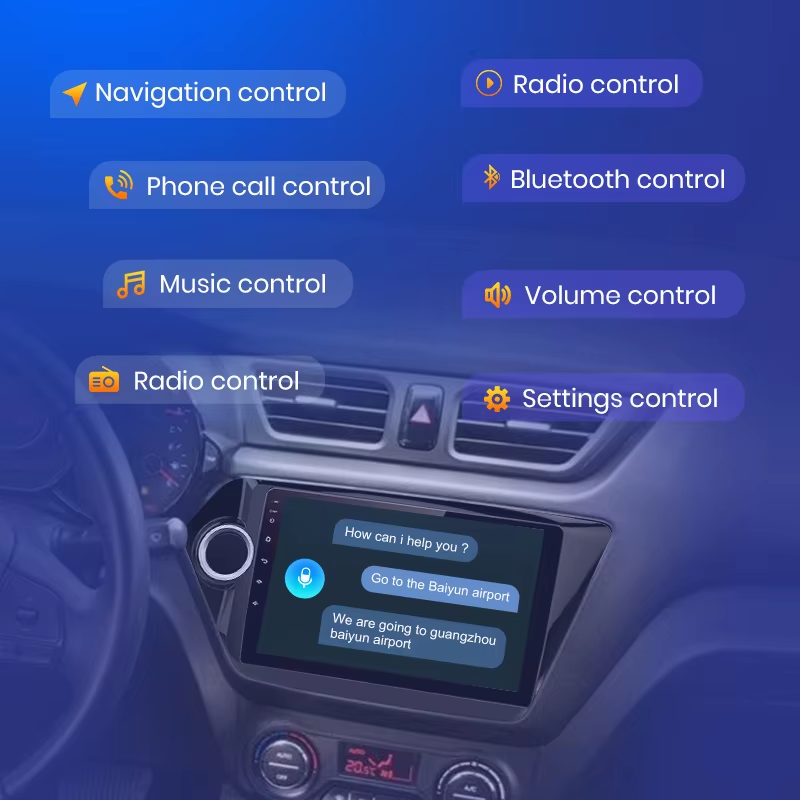
Toppal Voice Activation Failed
If the compatible app opens normally but still requests activation, the correct FixMyDash service is usually a Toppal Voice activation code, not a new app package.
Check the code and version
- Confirm that the code matches the selected Standard or Pro version.
- Check for confusion between 0 and O or 1 and I.
- Remove spaces before and after the code.
- If the code was previously used or its status is unclear, contact FixMyDash with the order number.
- Confirm that the installed app version matches the activation option.
Check the supplied activation method
- Some versions use hotspot-name activation; others may use manual code entry.
- If hotspot-name activation is supplied, set the hotspot name exactly to the code.
- Use 2.4 GHz if the head unit cannot detect a 5 GHz hotspot.
- Keep the head unit online until activation completes.
- Set the correct date and time.
Toppal Voice Missing After a Factory Reset
A factory reset may remove the visible app, a related background component, language resources or the original firmware integration. A random APK from another Android head unit may install incorrectly or open without working voice control.
- Do not install a random Toppal APK The package must match the motherboard, firmware, system services and software signature.
- Collect the current system information Prepare the Android version, MCU version, build number, app list and system screenshots.
- Request a FixMyDash compatibility review FixMyDash reviews the platform details and asks Toppal for package confirmation when required.
- Install only the confirmed package Some systems require separate app, service and language components, while others use a different structure.
Navigation, Music or Call Commands Do Not Work
Navigation commands
Confirm the map app is installed, opened once, set as the default navigation app and allowed to use location. Firmware intent support and command language also matter.
Music and YouTube commands
Confirm the relevant app is installed, logged in and available in the region. Standard or Pro naming alone does not guarantee support for every third-party app.
Phone call commands
Check Bluetooth connection, contact permission, phonebook synchronization, microphone access and the default calling app.
Toppal Voice App Will Not Open or Keeps Crashing
Safe checks
- Restart the Android head unit.
- Check available storage and memory.
- Clear the app cache only.
- Check whether a related background component is installed and enabled.
- Confirm that the app and service versions belong to the same package.
Avoid these actions first
- Do not clear app data unless activation details are backed up.
- Do not uninstall a preinstalled app before confirming a replacement package.
- Do not install an APK from another motherboard or firmware.
- Do not update or downgrade firmware only to test Toppal Voice.
Toppal Voice Stopped Working After a Firmware Update
Firmware updates may reset permissions, replace system components, change the default voice assistant or make the existing Toppal package incompatible.
Check what changed
- Confirm whether the Toppal app and related components are still installed.
- Recheck microphone, location and background permissions.
- Check whether battery optimization was re-enabled.
- Confirm the app still shows the expected activation status.
Avoid unverified firmware changes
- Check whether default navigation and voice-assistant settings changed.
- Do not downgrade firmware without a verified procedure from the head unit supplier.
- Do not install another platform’s Toppal package to test compatibility.
Why Use FixMyDash for Toppal Voice Support?
FixMyDash focuses on Android head unit software services rather than generic APK distribution. The goal is to identify the correct activation, compatibility or app-package route before changes are made to the device.
Activation code support
FixMyDash helps customers choose the correct Toppal Voice activation option when the compatible app is already installed.
Compatibility review
We review the motherboard, MCU, firmware and build information before confirming whether an app package request is appropriate.
Guided troubleshooting
Customers can send screenshots, activation status and a short problem video so FixMyDash can identify the likely cause before recommending a reinstall.
Information to Send FixMyDash Support
FixMyDash uses the submitted information to separate activation-code problems from app-package, background-component and firmware problems.
Frequently Asked Questions
Why is Toppal Voice not responding?
Common causes include no internet connection, missing microphone permission, a stopped background component, battery optimization, incompatible language resources or firmware integration problems.
Should I uninstall Toppal Voice when it stops working?
No. First check the app, permissions, network, activation status and any related background component. Some preinstalled versions cannot be restored with a generic APK.
Why does the app open but voice commands do not work?
The visible app may open while a related background component is missing, stopped or incompatible. Language resources, microphone access, network and firmware integration should also be checked.
Why did Toppal Voice disappear after a factory reset?
A factory reset may remove the visible app, a background component or language resources. Recovery depends on the motherboard, firmware and availability of a compatible Toppal package.
Why does my Toppal Voice activation code fail?
Check the code characters, Standard or Pro version, supplied activation method, network, date and time, code status and app-package compatibility.
Can I use a Toppal APK from another Android head unit?
This is not recommended. The package may require a different motherboard, firmware, software signature, service component or language resource.
Why does navigation work but YouTube or music control fail?
Third-party apps require the correct app version, login, network access, regional availability and firmware support. The issue is not always caused by the Standard or Pro version.
Do I need a new app package or only an activation code?
If Toppal Voice is installed and opens normally but requests activation, you usually need an activation code. If the app is missing, request a FixMyDash app package compatibility review.
Choose the Correct FixMyDash Toppal Voice Service
Buy an activation code when the app is already installed, request an app package review when the software is missing, or send your device information to FixMyDash for guided troubleshooting.