




Chinese EV remote software diagnostics and support
Exported Chinese EV Software Support

Chinese EV Remote Diagnostics & Software Support.

Remote software diagnostics and architecture-specific support for selected Chinese EV export vehicles. We review update failures, localization issues, app-environment problems, and certain post-event software lock cases on a case-by-case basis for supported BYD, Zeekr, MG, Li Auto, and Xiaomi platforms.

Coverage review

Chinese-market EV software cases we can review.

Support depends on model, software version, vehicle status, and available documentation. Contact us to confirm coverage for your specific vehicle before submitting a case.

View NIO brand articles
NIO
ES6 · ES8 · ET5 · ET7
View AITO / Wenjie brand articles
AITO / Wenjie
M5 · M7 · M9
View XPeng brand articles
XPeng
P7 · G6 · G9 · X9
View Li Auto brand articles
Li Auto
L7 · L8 · L9 · MEGA
View ZEEKR brand articles
ZEEKR
001 · 007 · 009 · X
View Avatr brand articles
Avatr
11 · 12 · 07
View BYD brand articles
BYD
Han · Tang · Seal · Atto
View Denza brand articles
Denza
D9 · N7 · N8 · Z9
View Fangchengbao brand articles
Fangchengbao
Leopard 5 · Leopard 8
View Yangwang brand articles
Yangwang
U8 · U9
View Xiaomi Auto brand articles
Xiaomi Auto
SU7 · SU7 Ultra
View Luxeed brand articles
Luxeed
S7 · R7
View Leapmotor brand articles
Leapmotor
T03 · C10 · C11 · C16
View DEEPAL brand articles
DEEPAL
S05 · S07 · L07 · G318
View IM Motors brand articles
IM Motors
L6 · L7 · LS6 · LS7
View AION brand articles
AION
UT · RT · V · Y
View VOYAH brand articles
VOYAH
FREE · DREAM · PASSION · COURAGE
View ARCFOX brand articles
ARCFOX
αT5 · αS5 · Kaola S
View iCAR brand articles
iCAR
03 · 03T · V23 · V27

Common Software and System Cases We Review Remotely

Send a photo first. We review the architecture, software state, and whether the case appears suitable for remote handling.

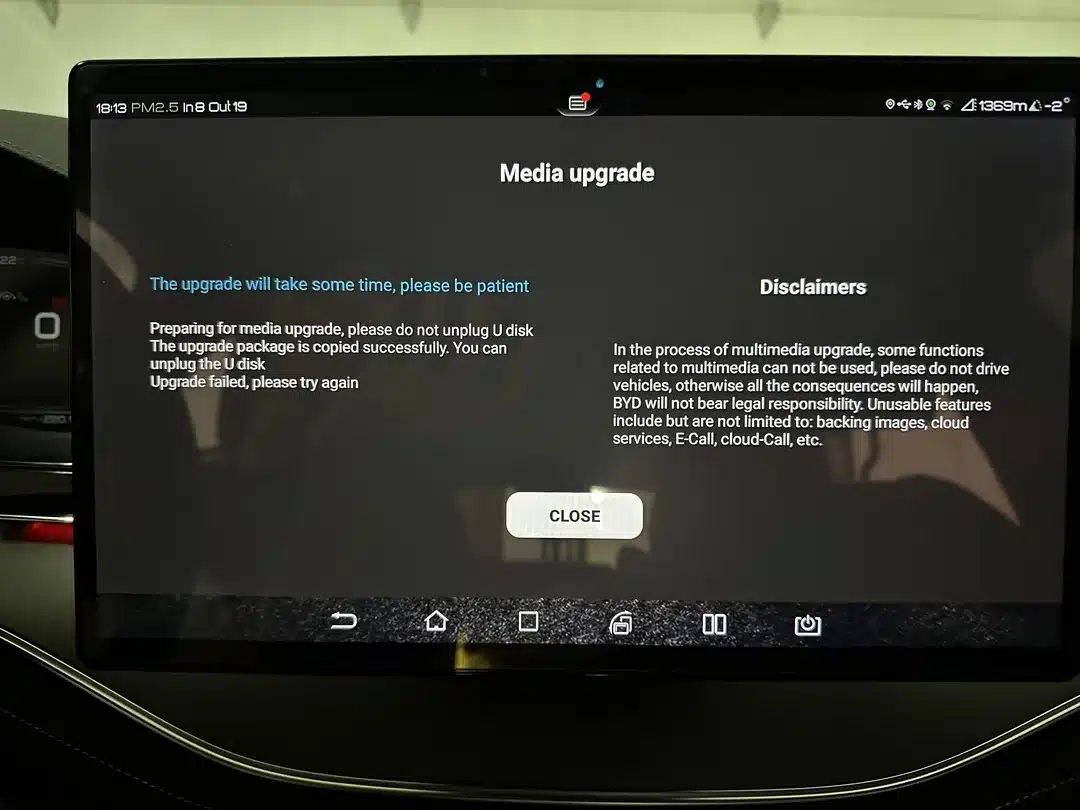
Chinese EV screen showing update failed message

OTA Stuck at 0% / 99%

"Update Failed" or boot loops? We review supported recovery paths for failed updates and architecture-dependent software restore cases.

Chinese EV post-event fault or software lock screen

Post-Event System Lock Review

"HV System Fault" or post-event lock status? We assess supported software recovery options on a case-by-case basis where remote work appears appropriate.

Chinese EV dashboard showing repeated warnings after low 12V event

12V Drain & Ghost Errors

Phantom ADAS warnings or repeated system alerts after low 12V events? We review module status and software-side fault conditions for supported architectures.

Chinese EV key or NFC access pairing screen

Key & NFC Card Review

Key pairing or NFC card issues? Certain access-related software cases may be reviewed remotely where lawful, supported, and technically suitable.

Premium Localization Service

Chinese EV Language Support & App Environment Review

Chinese-only menus or export-market app limitations? We review compatible language options and app-environment adjustments for selected architectures.

Native Language Support

Full OS translation depends on the board architecture and the current software state.

English (Most Requested) Russian (Русский) Arabic (العربية) Spanish (Brand Dependent) App Environment Review

Software Adjustment Scope

  • App Environment: Review compatible app options for supported export vehicles.
  • Region Configuration: Help assess time zone, T-Box, privacy statement, and region-related software issues where supported.
  • Remote Workflow: Non-invasive software handling only where technically appropriate, with no hardware shipping required in many software-side cases.

Remote Diagnostic & Recovery Scope

Architecture-specific review for supported Chinese EV platforms, based on model, software state, available tools, and remote suitability.

Key & Access Cases

  • NFC Card Review: Review selected card-related pairing cases.
  • FOB Matching Review: Assess supported key-learning workflows where lawful and technically suitable.
  • Access-Related Software Review: Case-dependent review for supported systems.

Post-Event Recovery Review

  • Post-Event Review: Assess supported software lock and recovery paths.
  • DTC Review: Check persistent system faults and architecture-dependent clearing options.
  • Module Status Check: Review module state after repair or battery events.

ADAS & Calibration Review

  • ADAS Sensitivity Review: Review selected ADAS behavior complaints on supported systems.
  • Ride Height Related Review: Check supported adaptation paths after suspension repair where applicable.
  • Module Matching Review: Assess supported configuration or adaptation cases.

Update & System Review

  • Update Recovery Review: Check supported options for failed or incomplete updates.
  • System Stability Review: Review lag, freeze, or repeated error states.
  • Account / Region Review: Assess supported software-side account or region environment issues.

Supported Brand Architectures for Remote Diagnostics

We work by architecture, software state, and remote suitability. If your vehicle uses one of these systems, we can review whether remote service may be possible.

BYD DiLink

Atto 3, Han, Tang, Seal. Common cases include update review, localization support, and software-side diagnostics.

Zeekr / Geely

Zeekr 001/X, Lynk&Co. Common cases include system review, localization support, and selected post-event software checks.

Xiaomi MiCar

Xiaomi SU7/YU7. Case-by-case review for supported software, language, and selected access-related issues.

MG / SAIC

MG4, MG5, Marvel R. Common cases include DTC review, update recovery review, and software-side fault analysis.

Remote Service Preparation

Send a photo first, prepare your laptop and ENET cable, and we will review whether remote handling appears suitable.

1
1-Min Photo Diagnosis Snap the dashboard error. WhatsApp us the photo + VIN + brand.
2
Case Review We check your architecture, software state, and whether the case appears suitable for remote work before paid handling begins.
3
Connect ENET Cable Plug your Windows laptop into the car's OBD port via ENET cable.
4
Remote Session Grant access via ToDesk/AnyDesk. We guide the remote session and review the software condition with you.

Your Remote Session Toolkit

Windows Laptop Any standard PC with Wi-Fi.
OBD2-to-RJ45 ENET Cable The standard bridge for supported EV software access.
Stable Connection Reliable 4G/5G hotspot or Wi-Fi.

Important Remote Service Notice

Every EV software case is different. We do not promise results blindly. We review the vehicle architecture, software state, available tools, and service safety before proceeding. Refund eligibility, data handling, and service scope follow our published policies. Please keep the vehicle safely parked, use a stable connection, and prepare the required tools before the remote session.

Shopping Cart