How to Install DOFUN Voice: Complete User Tutorial

This guide walks you through installing, configuring, and troubleshooting the voice assistant on Android-based car head units.

FixMyDash – Android Car Voice Control Guide

This guide walks you through installing, configuring, and troubleshooting the voice assistant on Android-based car head units.

Voice Control Setup & Commands

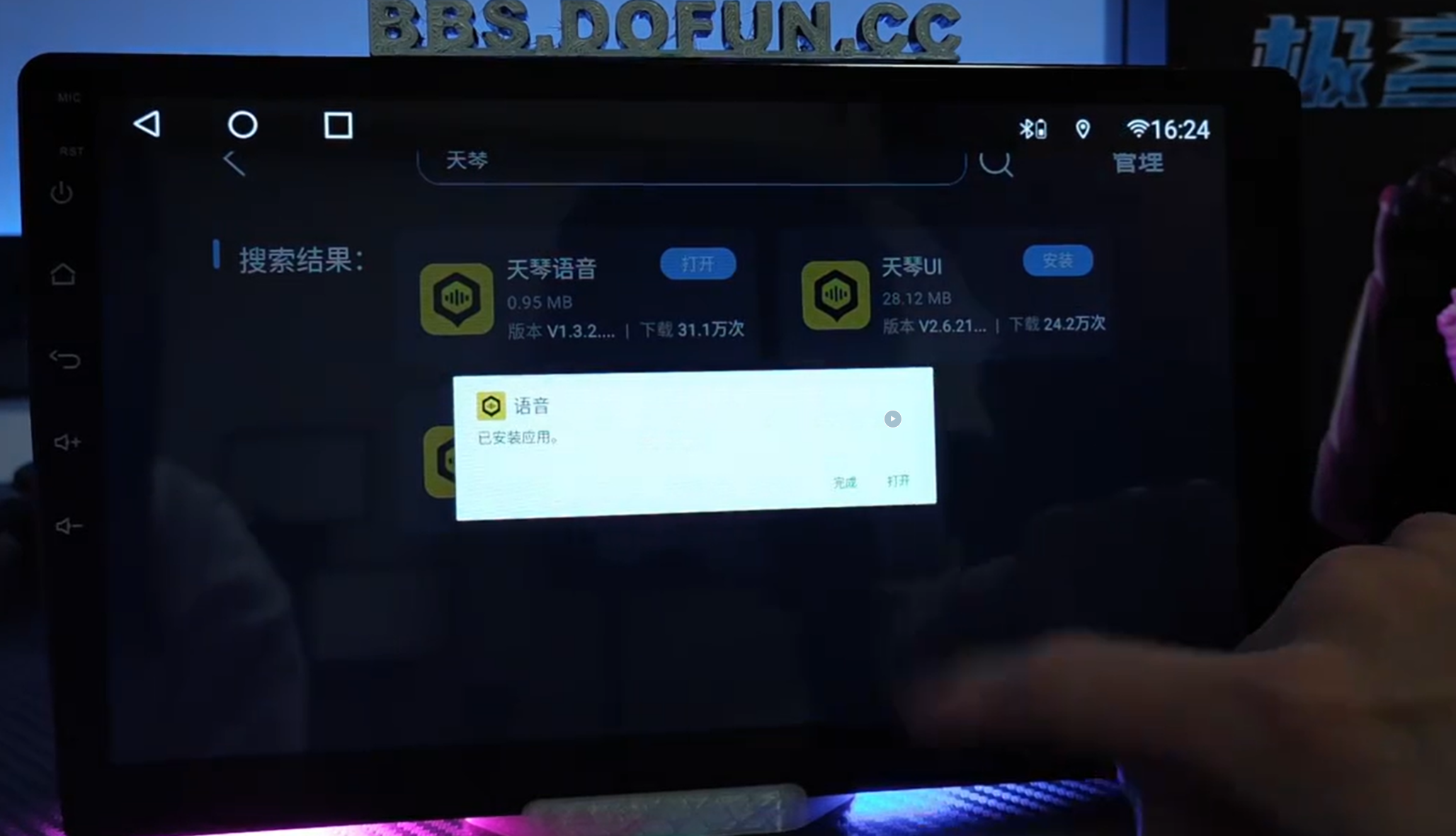
1. Installation Methods

Method 1: Search “语音” (Voice) in the Chebizhuang Market and install directly. Method 2: Download via USB: Click here to download

2. Wake Word Customization

Say: “Hello XiaoMi, I want to rename you to XiaoHuang.”

3. Quick Commands (No Wake Word Needed)

  • Turn on music / Turn off music
  • Turn on navigation / Turn off navigation
  • Increase volume / Decrease volume
  • Turn off screen

4. Custom Commands (With Wake Word)

  • Hello XiaoMi, I want to listen to Jay Chou’s “Nocturne”
  • Hello XiaoMi, navigate to Window of the World, Shenzhen
  • Hello XiaoMi, call Pang Qing

5. Voice Settings Interface

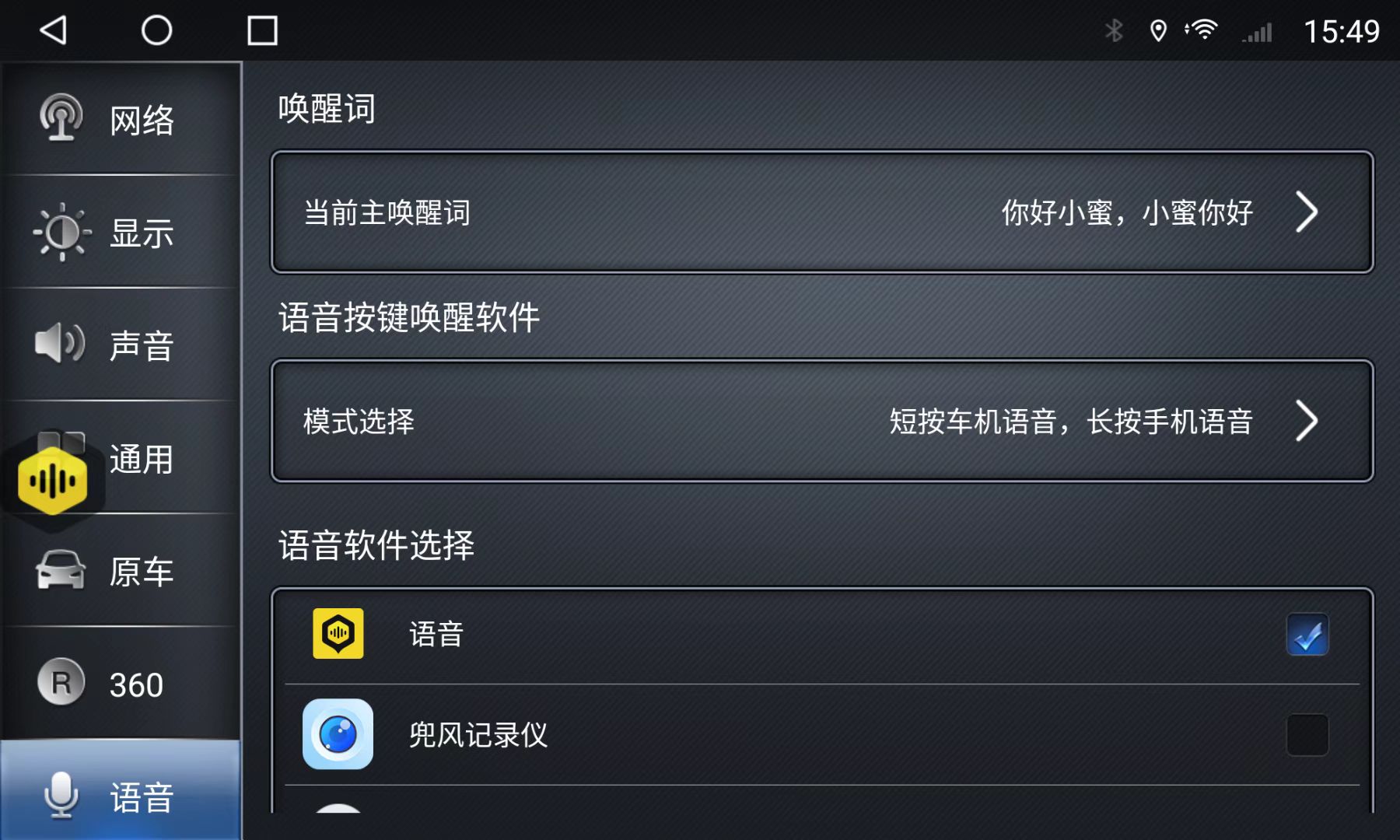
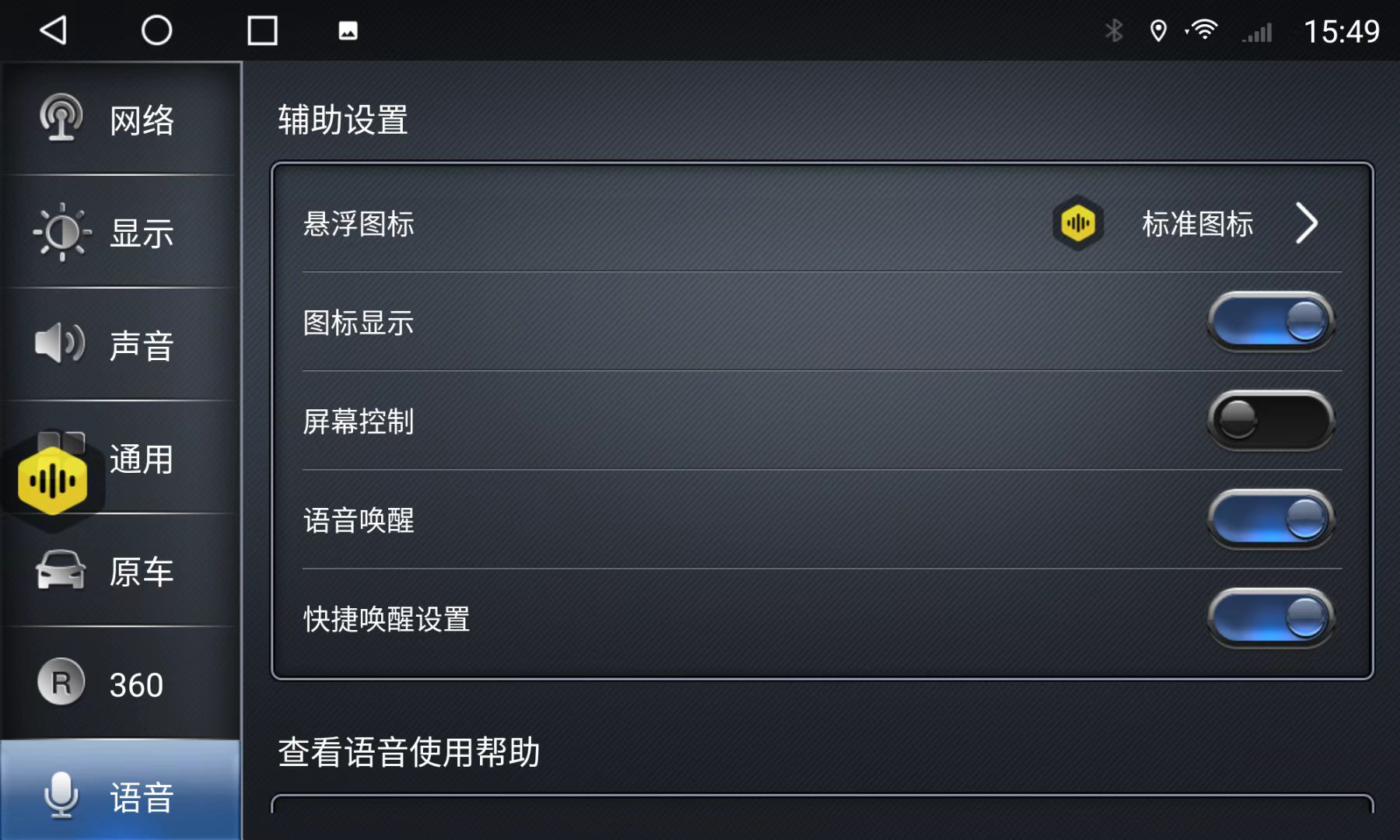
Go to Car Settings → Voice to adjust voice-related options. Voice Settings Interface Screenshot Important: Select the correct voice app; otherwise, settings will not appear. Voice App Selection Tip Default App Selection:
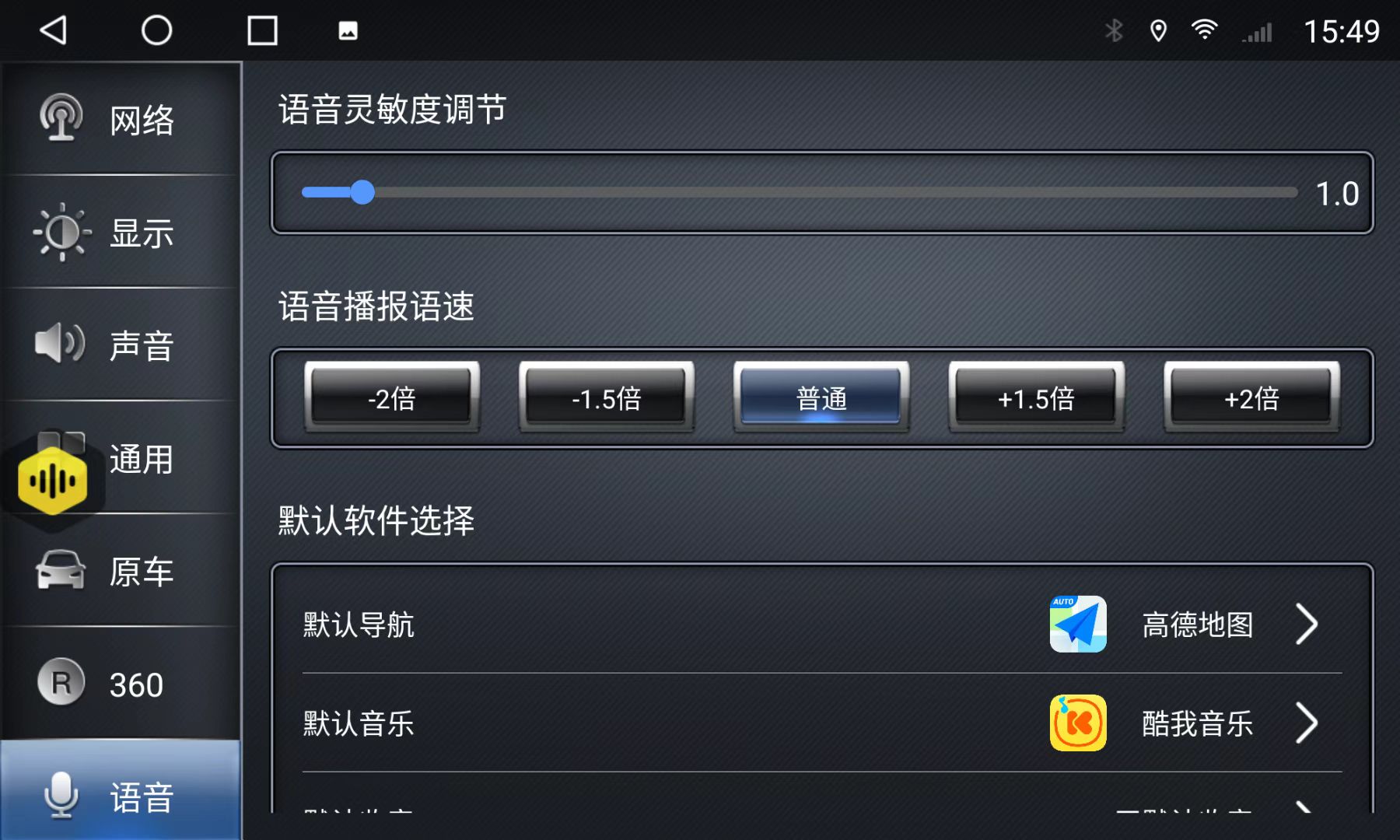
  • Navigation: AutoNavi (高德地图)
  • Music: Kuwo Music, Kugou Music
Default App Selection Screenshot

6. Common Issues & Fixes

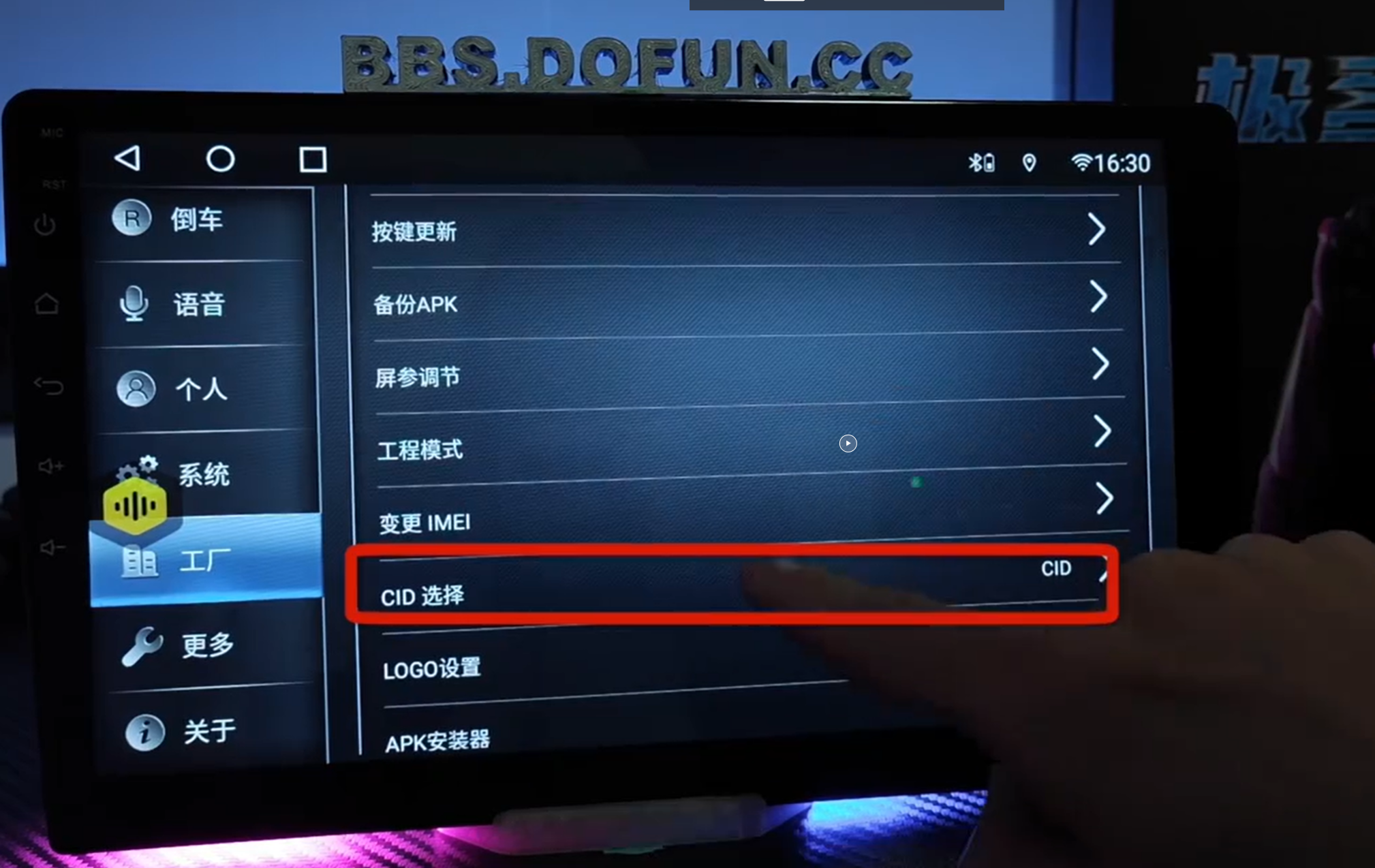
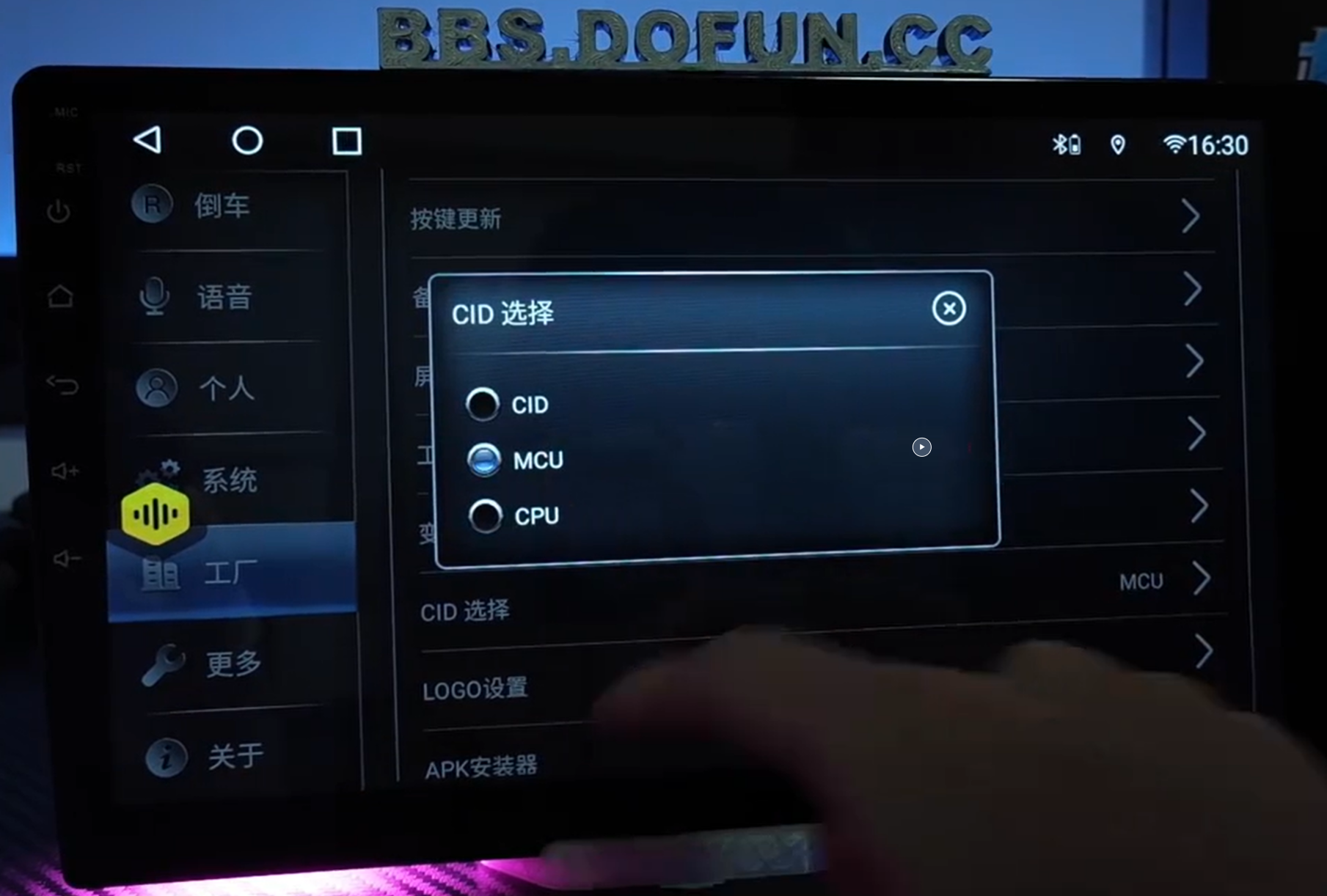
  • Authorization Error: Go to Settings → Factory → Enter password 123456 → Set CID to MCU
CID Setting Screenshot Find CID Option Select MCU Screenshot
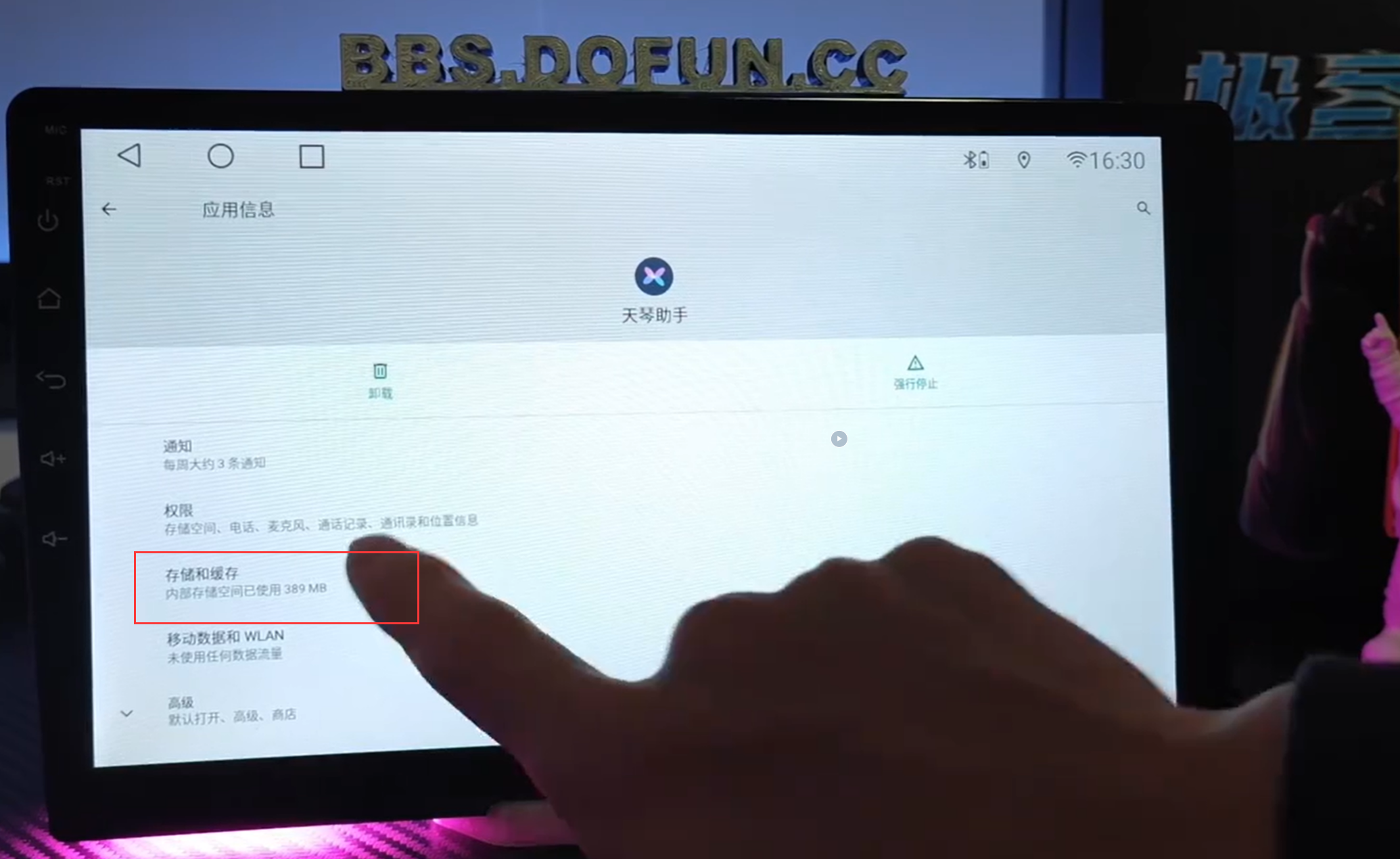
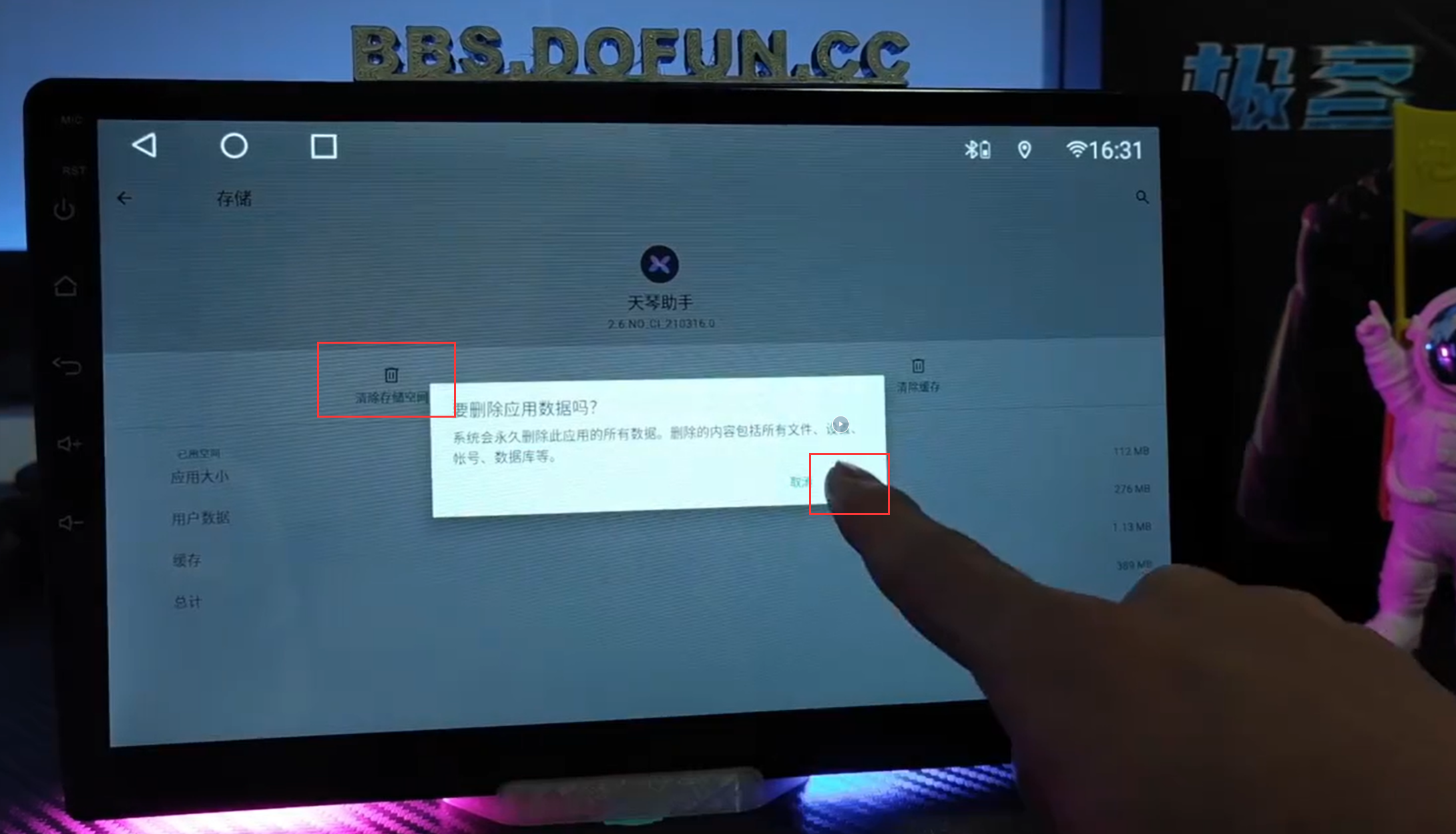
  • Clear App Data: Go to Settings → Apps → Find Tianqin Assistant → Storage → Clear Data
App Info Screenshot Clear Storage Screenshot
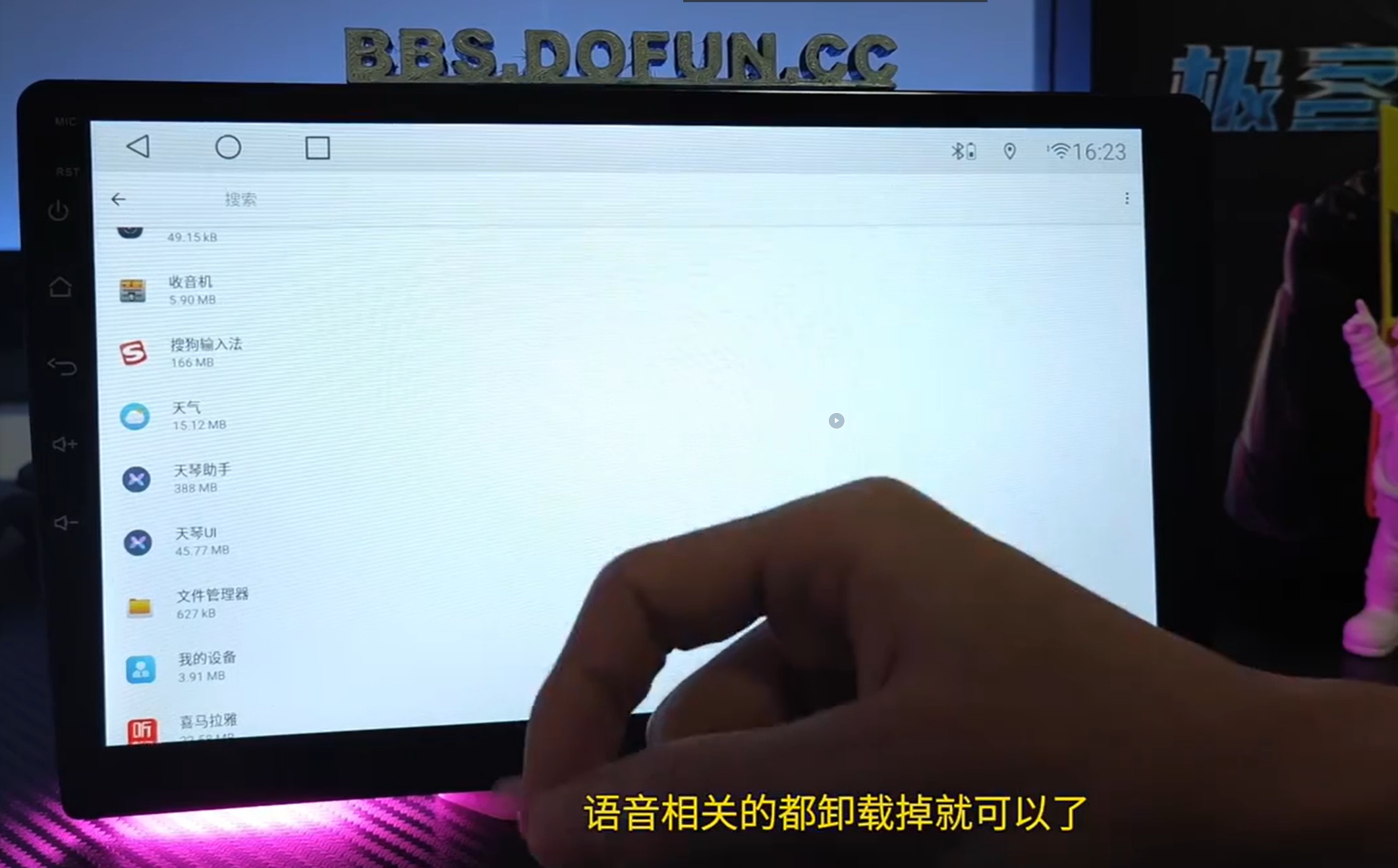
  • Reinstall Voice Software: Uninstall Tianqin Assistant, Tianqin UI, and Voice apps. Then reinstall from the Chebizhuang Market.
Uninstall Voice Apps Screenshot Reinstall Screenshot
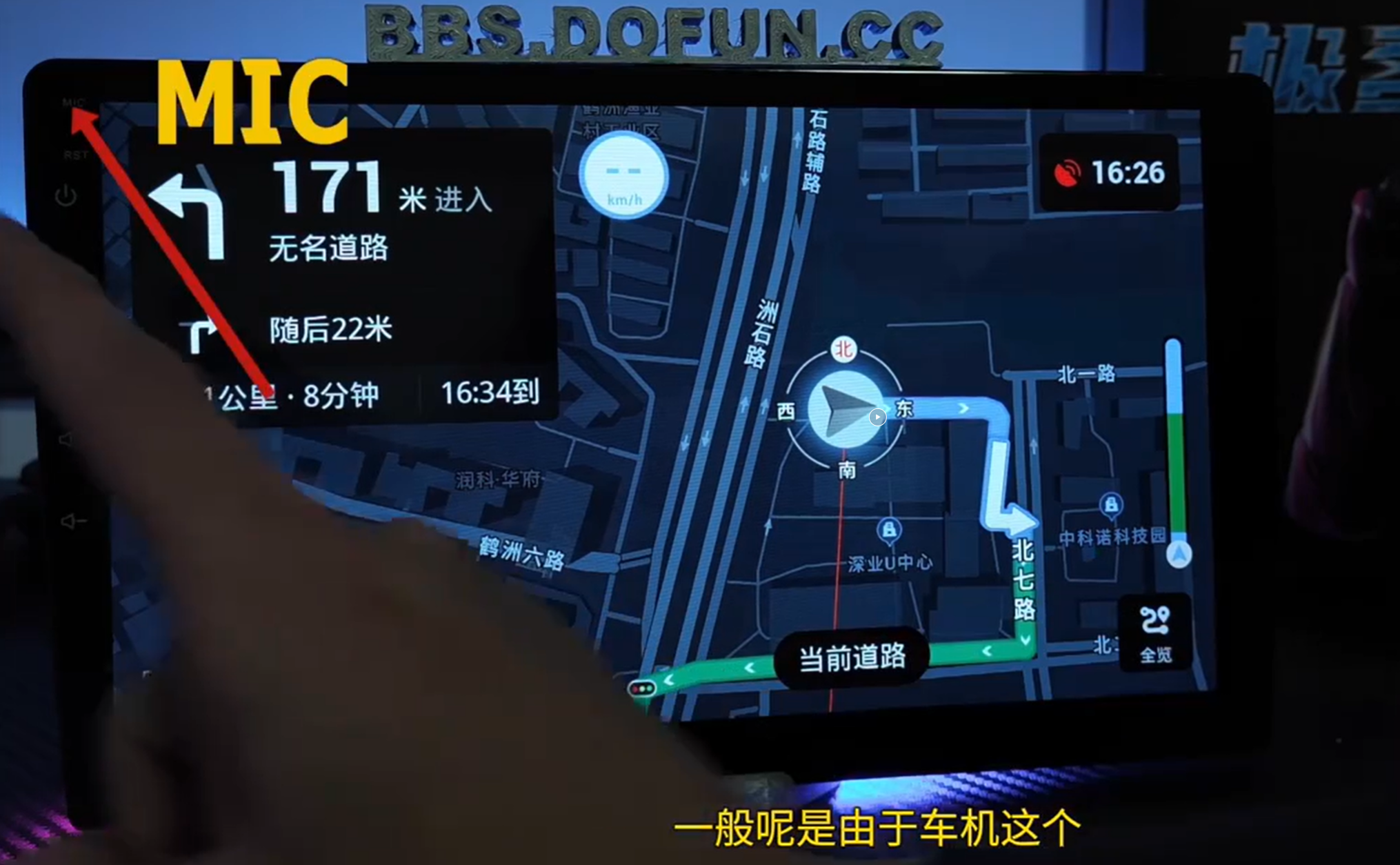
  • Microphone Not Working: Speak directly toward the upper-left MIC to test. If no response, the hardware may be faulty.
Test MIC Screenshot
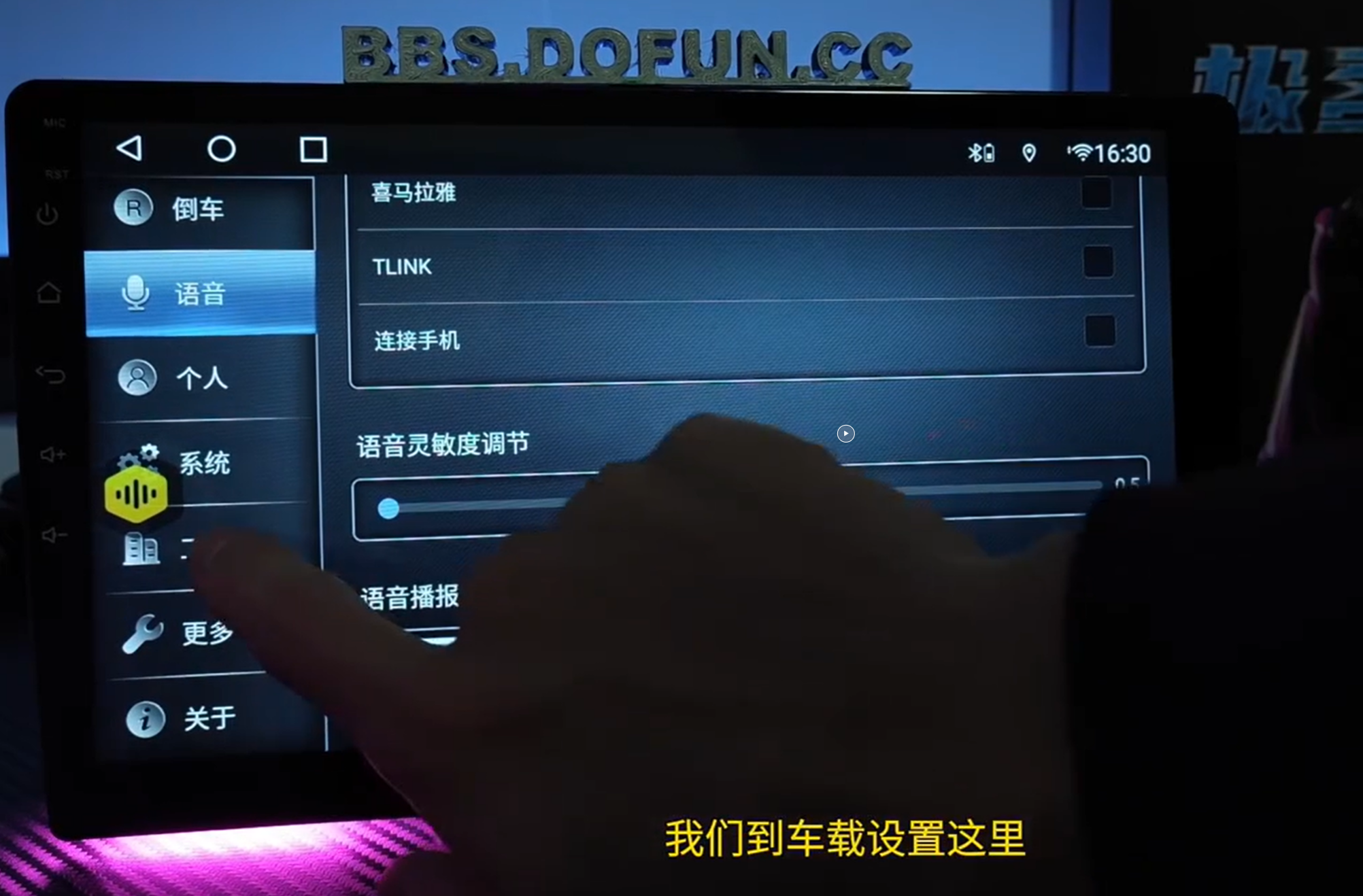
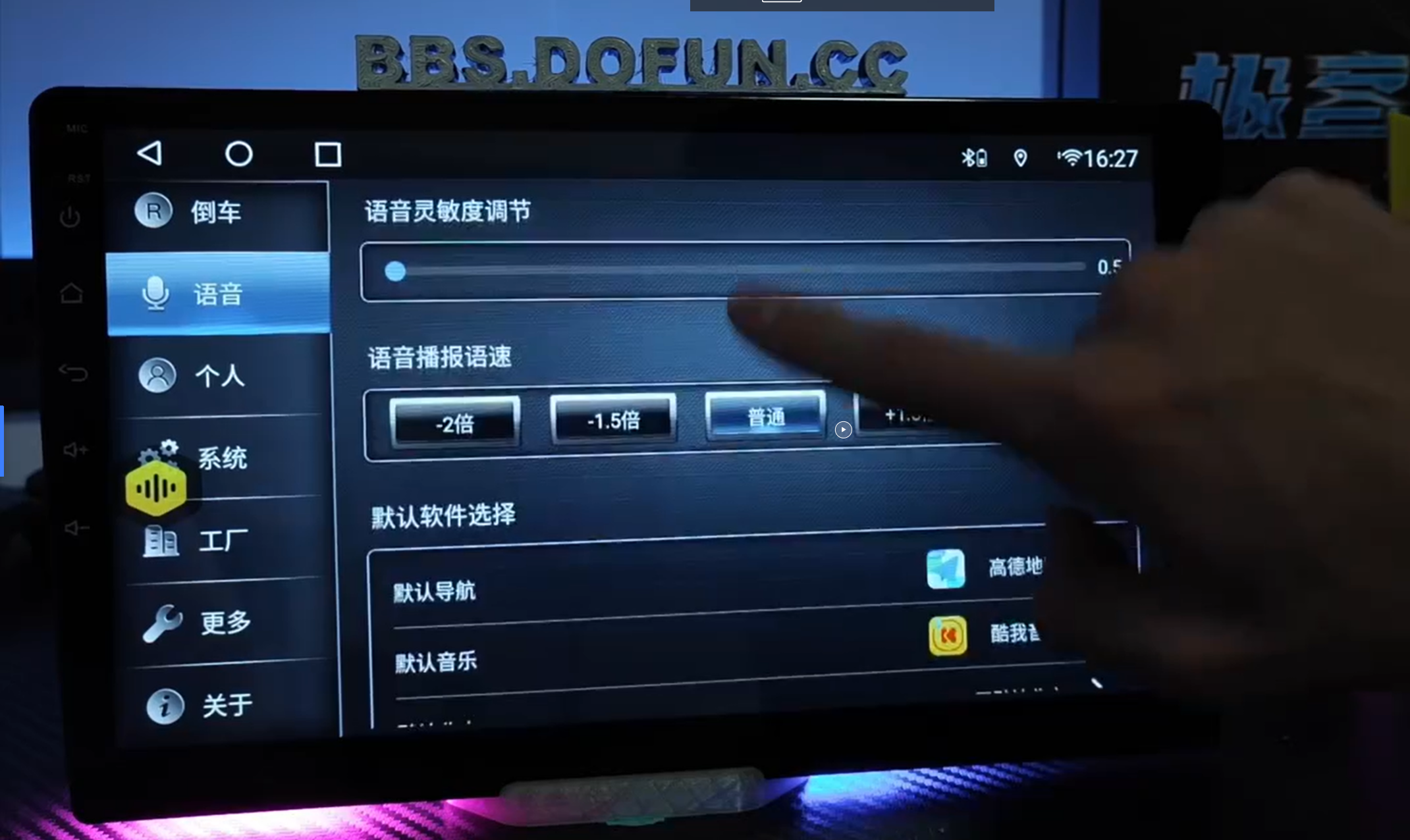
  • Adjust Sensitivity: Settings → Voice → Sensitivity
Sensitivity Adjustment Screenshot
Visit FixMyDash.com
© 2025 FixMyDash. All rights reserved. | Contact us via WhatsApp: +8618773791780 | WeChat: wangz980425
Lifetime Activation

Toppal AI Car Assistant Pro:
Ultimate Edition

Unlock the full potential of your vehicle with the Toppal AI Car Assistant Pro License Code. Enjoy voice-controlled navigation, personalized driving suggestions, and real-time traffic updates. Upgrade for smarter, safer driving with advanced ChatGPT integration.

FEATURE STANDARD PRO VERSION
Voice-Controlled Navigation ✓ Yes ✓ Yes
Hands-Free Media Control ✓ Yes ✓ Yes
Personalized Driving Suggestions ✕ No ✓ Yes
Real-Time Traffic Updates ✕ No ✓ Yes
Advanced ChatGPT Integration ✕ No ✓ Yes
STANDARD LICENSE
Was $28.00
$18.00
One-Time Payment
BEST VALUE / MOST POPULAR
PRO ACTIVATION (FULL AI)
Was $45.00
$28.00
Lifetime Pro Access

Transform your vehicle with Toppal AI. No Subscriptions. Forever Smarter. | Delivered instantly via email.

ChatGPT Special Premium Edition

The most advanced, intelligent, and seamless AI driving experience.

Toppal AI Car Assistant
for ChatGPT

Experience cutting-edge technology with the Toppal AI Car Assistant, powered by ChatGPT. This intuitive system enhances your car's multimedia experience, allowing seamless voice control, navigation, and smart assistant features, all integrated into your vehicle.

Original Price: $75.00 / year
$45.00
1-Year Premium Access

Get ready to drive smarter with hands-free voice commands and navigation assistance.
Digitally delivered instantly upon purchase.

×
$5.0 Expert Diagnosis
Instant Help for Your Car Android Screen
Expert Diagnosis
  • 1-on-1 professional analysis
  • Quick response within 24h
  • 100% refund if you upgrade or repair
Pay $5.0 Now & Start Diagnosis
Non-refundable, but full repair fee will deduct $5.0

Leave a Comment

Shopping Cart