How to Install Toppal Voice Assistant App: Complete Product Introduction and Setup Guide
Toppal Voice Assistant is a voice assistant upgrade for compatible Android head units. This guide explains what the product is, how to choose the correct version, what customers must confirm before buying, how the installation logic works, and why compatibility checking comes before activation.

Offline basic voice control for navigation, media, Bluetooth, radio, volume, mute, screen control, and other daily commands.
Includes all Standard features plus broader online AI functions, app control by name, local music search, and more natural phrase recognition.
Choose between Just activation code and App required only after checking whether the required software environment is already complete.
What Is Toppal Voice Assistant?
Toppal Voice Assistant is a license-based AI car assistant product for compatible Android head units. It is offered with Standard and Pro versions, and the product page also allows customers to choose between Just activation code and App required.
In practical terms, Standard is aimed at users who want stable offline voice commands for daily use. Pro is intended for users who want a broader online AI voice experience with more advanced control and more natural interaction.

Standard focuses on core offline commands, while Pro expands into online AI voice features.
What Customers Must Confirm Before Buying
This is the most important step in the entire purchase process. Customers should not assume that an activation code alone is enough. The correct purchase path depends on whether the required 3-app software environment is already present and functioning properly on the device.
The customer may only need the Just activation code option, depending on the current software state and compatibility. In this case, no extra app installation is needed.
The customer should not buy blindly. The motherboard and system version must be checked first to confirm whether the device can support proper installation of the required app environment.

Check the rear label, motherboard text, or system info before buying.
How to Check the Android Car System Version
Before buying, the customer should identify the device through one or more of these methods: the rear label on the unit, text printed on the motherboard, or the system information page in settings. This is the safest way to determine whether the head unit can support Toppal Voice Assistant installation.
Different Android head unit families use different system-info paths. Examples include Topway, FYT, NWD, XY-AUTO, and HC / MTK. “Android” alone is not enough to confirm compatibility.
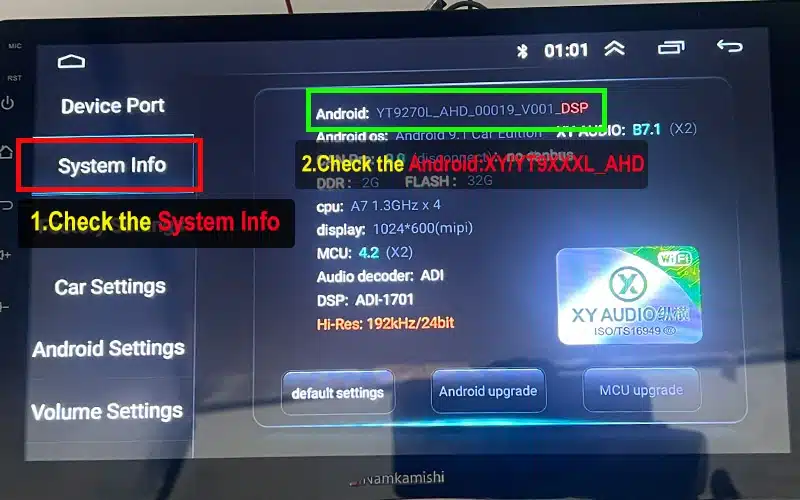
Different Android head unit platforms use different system info paths.
Standard vs Pro: Which Version Is Right?
| Feature | Standard Version | Pro Version |
|---|---|---|
| Core voice control | Offline basic commands | Included |
| Navigation app control | Yes | Yes |
| Music control | Yes | Yes |
| Bluetooth / calls | Basic handling | Expanded calling by contact or number |
| Internet required | No for core commands | Yes for online AI features |
| App control by name | No | Yes |
| Natural phrase recognition | More limited | More advanced |
| Best for | Daily drivers who need stable core control | Users who want a broader AI voice experience |
How to Install Toppal Voice Assistant App
Before installation, the first question is not “Which code should I buy?” but “Does the device already have the full required app environment?” Toppal Voice Assistant depends on a 3-app software environment being installed correctly on the device.
-
Check whether all 3 required apps are already installed.
The customer should first confirm whether the device already contains the full Toppal Voice Assistant-related software environment. -
Confirm whether the 3 apps are working normally.
It is not enough for the apps to merely appear on the device. They must also be installed correctly and functioning normally. -
If all 3 apps are already installed and working, no extra app installation is needed.
In that case, the customer may only need the Just activation code option. -
If one or more apps are missing or not working correctly, check motherboard compatibility first.
The customer should use the Android car system version guide before placing the order. -
Choose the correct license version.
Select Standard for offline basic commands or Pro for expanded online AI voice features. -
Choose the correct purchase option.
Use Just activation code only when the required app environment is already complete and working. Use App required when installation support is needed. -
Complete activation and test the key functions.
After setup, test navigation, media, Bluetooth, wake-up response, and other essential voice functions before considering the installation complete.

Check whether all 3 required apps are already installed and working before choosing the purchase option.
No Refund Rule for Activation Codes
Because this is a digital activation product, customers must confirm software status and motherboard compatibility before purchase. Pre-sale checking is part of the purchase process, not an optional extra step.
Please review the official policy before ordering: FixMyDash Refund Policy
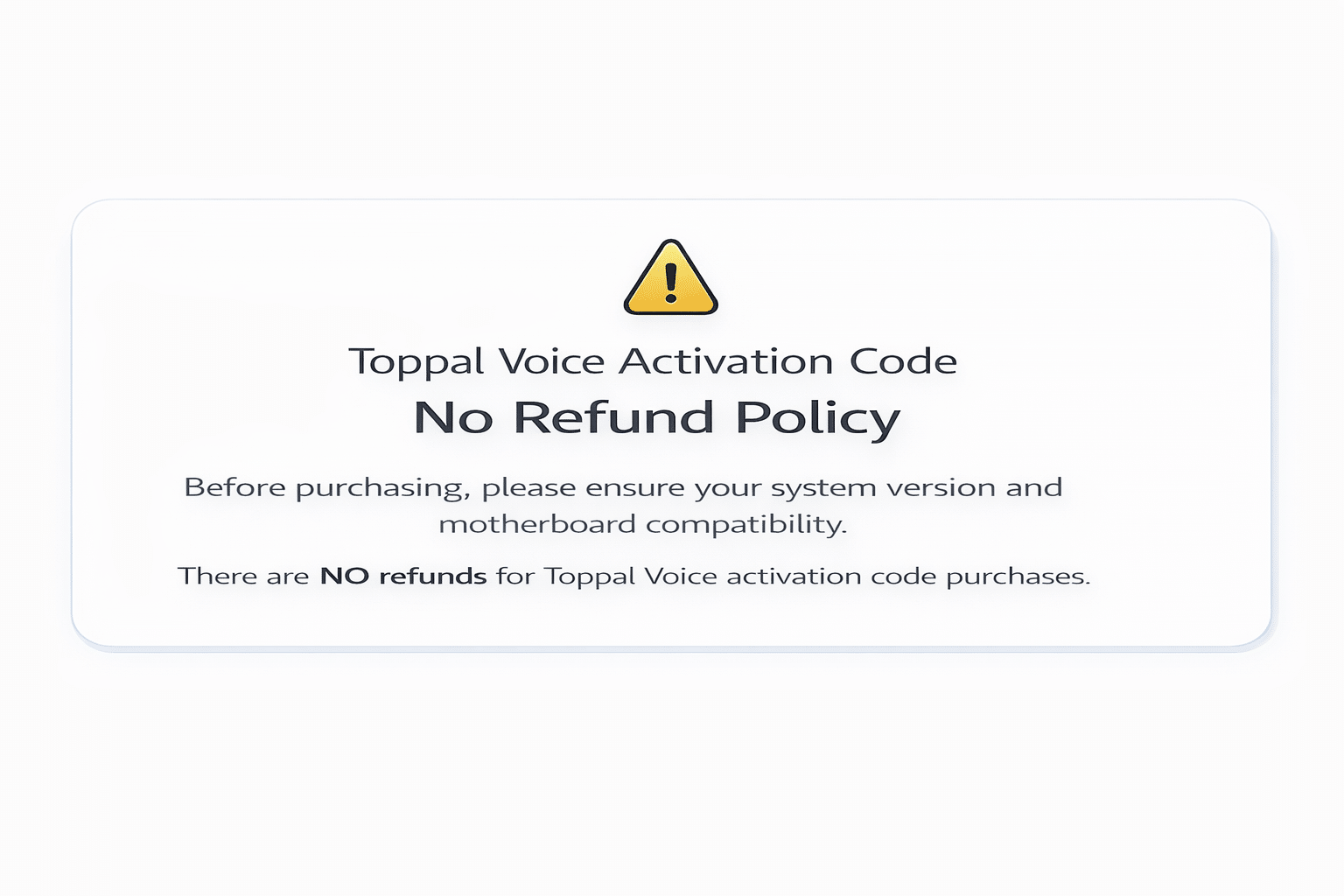
Please confirm compatibility before purchase.
Frequently Asked Questions
Does Toppal Voice Assistant require more than one app?
Yes. Toppal Voice Assistant requires 3 apps to be installed correctly. If all 3 apps are already on the device and working normally, no extra app installation is needed.
What if the apps appear on the device but do not work correctly?
If one or more of the required apps are missing, incomplete, or not functioning normally, the device should not be treated as ready for activation-only purchase. Compatibility must be checked first.
Can I buy just the activation code?
Only if all 3 required apps are already installed correctly and working normally on the device. If the required app environment is incomplete, the customer may need the App required option instead.
Why do I need to check the system version first?
Because different Android head unit platforms use different motherboard families, so compatibility should be confirmed before purchase.
Can I get a refund after the activation code is sent?
No. Once the activation code has been issued or downloaded, the order is non-refundable.
Need Help Choosing the Right Toppal Voice Assistant Option?
Before buying, confirm whether your player already has the required software environment. If not, identify the motherboard first, then choose the correct version and installation path.
View Toppal Voice Assistant Product Page